 Brand
Brand
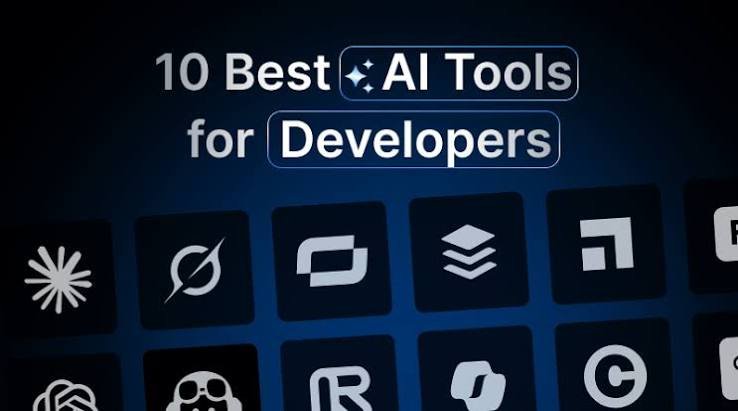
Web development has changed an amount over time.
In the past building a website was about writing code for each part hunting for errors by hand and spending hours fixing problems. Today AI tools can help web developers with many of these tasks.
Whether web developers are beginners learning HTML and CSS or experienced web developers working with PHP, JavaScript, React or MySQL the right AI tool can make daily work easier.. Ai cannot replace the knowledge that web developers need to build a website. Web developers still have to understand the code and verify that the final result works correctly.
Here are some useful AI tools that web developers can try in 2026.

1. ChatGPT – For Coding Help and Problem Solving
ChatGPT is helpful when web developers need help understanding code planning a website or fixing a programming error. Web developers can describe what they want to build and ask ChatGPT for a step?by?step solution.
For example if a web developer is creating a PHP login page web developers can ask ChatGPT to explain how session management works or to help spot an error in the existing code.
What developers can use it for:
- ChatGPT can generate examples of HTML, CSS, JavaScript, PHP and SQL.
- ChatGPT can help web developers understand errors and debug code.
- ChatGPT can help web developers plan database tables and website features.
- ChatGPT can help web developers improve website content and write documentation.
A useful approach for web developers is to share the code and explain the problem or ask for a website. This makes it easier to get an answer that fits the existing project.
Website: https://chatgpt.com/
2. GitHub Copilot – For Faster Coding
GitHub Copilot helps web developers write code inside supported development environments. GitHub Copilot can suggest code as web developers type explain existing functions and assist with code reviews and other development tasks.
For web developers who use Visual Studio Code, GitHub Copilot can be helpful when writing code or working with functions.
What developers can use it for:
- GitHub Copilot can complete code while web developers type.
- GitHub Copilot can generate functions and reusable components for web developers.
- GitHub Copilot can explain existing code to web developers.
- GitHub Copilot can assist web developers with debugging and code reviews.
For example when web developers are creating a contact form GitHub Copilot can suggest form validation logic and help write the JavaScript needed to check user inputs.
However suggestions from GitHub Copilot should always be reviewed before adding them to the project.
Website: https://github.com/features/copilot
3. Cursor – For Working With Existing Projects
Cursor is a code editor designed to help web developers work with the codebase. By focusing on a line Cursor can assist with changes that involve files depending on the task and available features.
This is useful when web developers are maintaining an existing website and need to understand how different files work together.
What developers can use it for:
- Cursor can help web developers understand project structure.
- Cursor can help web developers make changes across files.
- Cursor can help web developers find and fix coding errors.
- Cursor can help web developers refactor existing code.
- Cursor can help web developers add features while considering the surrounding code.
For example suppose a web developer wants to add a search feature to an existing website. Cursor can help examine the files and suggest changes to the frontend and related logic.
Before accepting changes web developers should review the files. Web developers should test the feature to make sure existing functionality has not been broken.
Website: https://cursor.com/
4. Claude – For Understanding Complex Code
Claude is another AI assistant that can help web developers reason through programming problems and work with code or technical explanations.
Claude can be especially useful when web developers need to understand why a feature is not working before looking for a fix.
What developers can use it for:
- Claude can help web developers review code.
- Claude can help web developers explain programming concepts.
- Claude can help web developers plan application architecture.
- Claude can help web developers identify causes of bugs.
- Claude can help web developers suggest improvements to existing code.
For example if a CRM has dashboards, for administrators, employees and clients Claude can help web developers review the role?based logic and identify areas that may need improvement.
The quality of Claude’s response depends on the context that web developers provide.
Sharing the files the expected behavior and the actual error usually produce a result.
Website: https://claude.ai/
5. Replit – For Building and Testing Web Applications
Replit gives a workspace where web developers can write, run and test applications. Replit’s AI features help web developers create prototypes and manage development tasks. I have found Replit very useful for experiments.
It can be useful for beginners who want to try an idea without spending time setting up a development environment. I like that it lets beginners try ideas quickly.
What web developers can use it for:
- Creating web application prototypes.
- Experimenting with ideas.
- Testing code in an environment.
- Learning through projects.
- Developing applications with AI assistance.
For example web developers could create an application. Test its features before planning a version. I often see web developers create an application and test its features before planning a version.
Keep in mind that a prototype is not automatically ready for production. Web developers must still address authentication, database security, error handling and deployment settings. I remind web developers that a prototype is not automatically ready for production.
Website: https://replit.com/
6. V0 – For Creating Website Interfaces
Designing a website interface can take a lot of time especially when web developers try layouts and components. V0 helps web developers generate user interface designs and frontend code from natural language descriptions. I find V0 very helpful when web developers are designing an interface.
V0 is especially useful for web developers working with React?based projects and supported frontend technologies.
What web developers can use it for:
- Generating dashboard layouts.
- Creating landing page designs.
- Building interface components.
- Exploring layouts.
- Producing a starting point for frontend development.
For example web developers could describe a dashboard with a sidebar, statistic cards, charts and a responsive layout. V0 can help generate an interface that web developers can refine. I appreciate that V0 can generate an interface that web developers can refine.
The generated code may need adjustments to match web developers’ existing framework, design system, backend and database
Website: https://v0.dev/
7. Windsurf – For Development
Windsurf is a development environment designed to support coding tasks with project context. Windsurf’s features help web developers navigate code make edits and work through step changes. I use Windsurf when web developers need to edit code
It may be worth exploring if web developers prefer an editor that integrates AI assistance into the development process.
What web developers can use it for:
- Exploring existing codebases.
- Generating and editing code.
- Working on changes across files.
- Understanding project logic.
- Improving the speed of development work.
For example when web developers develop a website web developers can use an AI coding assistant to suggest CSS changes and then check the layout at tablet and desktop sizes. I notice that when web developers develop a website, web developers can use an AI assistant to suggest CSS changes.
As with AI editors web developers must test generated changes before using them in a project.
Website: https://windsurf.com/
8. Google Gemini – For Coding Explanations and Research
Google Gemini helps web developers understand programming concepts, explore approaches and generate code examples. Google Gemini also helps when web developers need to compare solutions before choosing one for a project. I have used Google Gemini to explain programming concepts to web developers.
What web developers can use it for:
- Explaining programming concepts in language.
- Generating sample code.
- Understanding API usage.
- Comparing development approaches.
- Helping with documentation and technical research.
For example if web developers are learning how to connect a PHP application to a MySQL database they can ask Google Gemini to explain the connection process and demonstrate an example. I have seen web developers ask Gemini to explain the connection process.
Web developers should always verify generated code against the documentation for the framework, library or API they are using.
Website: https://gemini.google.com/

Which AI Tool Should Web Developers Choose?
There is no tool that's best for every development task. The right choice depends on the type of project the experience of web developers and the way web developers prefer to work. I think that web developers should choose tools based on project type.
| Development task | Tools to consider |
| Learning programming | ChatGPT, Gemini |
| Writing code while typing | GitHub Copilot |
| Editing an existing codebase | Cursor, Windsurf |
| Understanding complex code Claude, ChatGPT |
| Building prototypes | Replit |
| Creating frontend interfaces | V0 |
Web developers do not need to subscribe to every tool. Web developers can start with one or two tools that solve their problems and explore options when necessary. Free access, usage limits and paid features vary, so web developers should check the websites before choosing a plan.
How to Use AI Tools as a Web Developer
Getting results from AI depends on how web developers explain the task. I know that getting results, from AI depends on how web developers explain the task.
1. Explain your project clearly.
Mention the programming languages, frameworks, databases and the current project structure. For example web developers should say whether their website uses PHP, MySQL, HTML, CSS or JavaScript.
2. Describe the problem.
When you say, "Fix my website " explain what is not working, what you expected to happen and any error messages you received.
3. Ask for changes.
When working on an existing project request changes to the files. This reduces the risk of features being altered unintentionally.
4. Test the generated code.
Check form submissions, database operations, responsive layouts and error handling. A page that looks correct does not necessarily work correctly.
5. Protect your project.
Do not share passwords, API keys, private customer information or production database credentials in AI prompts. Review security code, authentication and payment features.
Final Thoughts
AI tools are helpers. AI tools are not a replacement for skill and judgment. AI tools can speed up coding. AI tools reduce trial and error. AI tools help developers learn faster. The best results come when developers use AI tools wisely—by giving instructions reviewing outputs carefully and testing everything.
As AI becomes more powerful in 2026, web developers who combine these tools with their knowledge will stay at the top. Start trying things out and keep learning. The future of web development is not about writing code—it is about using tools to create websites.
AI tools are becoming assistants, for web developers. AI tools can help with coding, solving issues creating designs learning and managing projects. The real benefit is using AI tools to solve problems than depending on AI tools to make every choice in development.
For beginners ChatGPT or Gemini can be a place to start learning. Developers who write code each day might prefer GitHub Copilot, Cursor or Windsurf. People who need to create interfaces quickly can try v0 while Replit can support ideas.
Choose tools that fit your way of working. Learn the code AI tools generate and review every change before updating your website. Strong coding skills combined with AI use can help you build websites and manage projects effectively.
0 Comments
No comments yet. Be the first to share your thoughts!
Leave a Comment