 Brand
Brand
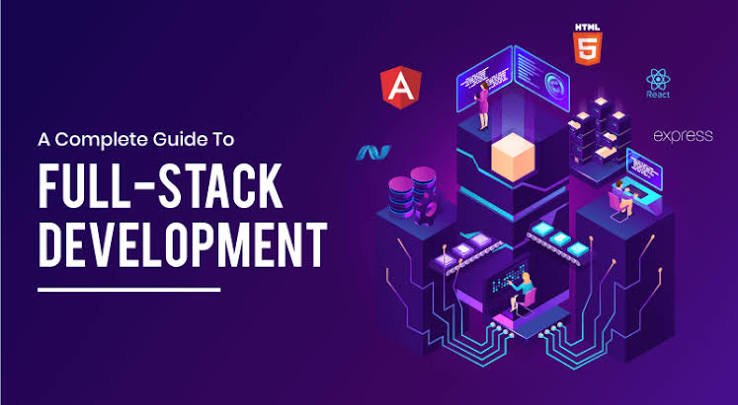
Technology changes how businesses communicate with people and help customers. From stores to apps from AI tools to business systems every sector uses web development. Therefore full stack development remains a skill for anyone who wants a career in technology.
If a student a beginner or a worker wishes to change jobs learning stack development can open doors. The good news is that full stack development does not require mastering every programming language before starting. With a learning path practice and real projects a full stack developer can slowly build the skills needed to create web applications.
This guide explains what a full stack developer does which technologies to learn in 2026 how to practice stack developer skills and how to prepare for a stack developer job.

What Is a Full Stack Developer?
A full stack developer works on both the frontend and backend parts of a website or web application.
The frontend is the part that users see and touch for example buttons menus forms images and page layouts. The backend manages the behind?the?scenes tasks such as authentication business rules database communication and handling user requests.
For example think of a shopping website. The frontend shows products prices and shopping cart choices. The backend handles orders checks whether productsre available manages customer accounts and saves transaction data.
A full stack developer knows how these parts combine to build an application.
Step 1: Learn HTML CSS and JavaScript
The first step is to learn the core technologies that build websites.
HTML Structure:
HTML (HyperText Markup Language) gives a webpage its structure. It defines elements such as headings paragraphs images links tables and forms.
Start by learning:
- Basic HTML elements and document structure
- Forms input fields and buttons
- Semantic HTML elements
- Links images and lists
- Accessibility basics
CSS Design
CSS (Cascading Style Sheets) controls how a webpage looks. It lets you create layouts pick colours adjust fonts and make sites responsive.
Focus on:
- Selectors properties and the box model
- Flexbox and CSS Grid
- Responsive design and media queries
- Transitions and basic animations
- Layouts
JavaScript Interactivity:
JavaScript adds interactivity to websites. It lets you check forms change content on the fly react to button clicks and talk to backend services.
Learn variables functions arrays objects loops conditions DOM changes events promises async/await and API calls.
Practice project: Build a personal portfolio site with an about section project gallery contact form and mobile?friendly navigation.
Step 2: Understand Git and GitHub
Writing code is important. Managing code is just as valuable.
Git is a version?control system that tracks file changes. GitHub is a platform where you can keep repositories share projects work with developers and show your work.
Learn how to:
- Create and manage repositories
- Use git add git commit git push and git pull
- Branches and merge changes
- Write commit messages
- Maintain a clear README file
- Collaborate through pull requests
Create a GitHub account and upload practice projects as progress continues. A well?maintained GitHub profile can help recruiters and clients see stack developer abilities.
Step 3: Learn a Frontend Framework
After learning HTML CSS and JavaScript pick a frontend framework or library to build interfaces.
React is a choice with learning resources and wide use in web application development.
Important React concepts include:
- Components and JSX
- Props and state
- Event handling
- Rendering
- Lists and keys
- Hooks such as useState and useEffect
- Form handling
- Routing between pages
- API integration
Full stack developer should also know how to organise components reuse code manage loading states and show errors when an API request fails.
TypeScript is another skill to learn after getting comfortable with JavaScript. It adds types that help spot errors during development and make code more maintainable.
Practice project: Build a dashboard with login screens task cards filters and an interface that works on tablet and desktop.
Step 4: Choose a Backend Technology
The backend powers the parts users cannot see. It receives requests checks data applies business rules and talks to databases.
There are backend technologies. Beginners should pick one path first than trying to learn everything at once.
Option 1: Node.js with Express
Node.js lets JavaScript run on the server. Express is a framework that helps developers build web servers and APIs.
Learn:
- Creating servers and defining routes
- Handling HTTP requests and sending responses
- Using middleware
- Developing REST APIs
- Validating input and handling errors
- Authentication and authorisation
- Environment variables
This option is convenient if you already know JavaScript because you can use JavaScript on both the frontend and backend.
Option 2: PHP
PHP is widely used for server?side web development. PHP works well with MySQL databases. PHP can build business websites content management systems client portals and CRM applications.
Learn:
- PHP syntax and functions
- Form processing
- Sessions and cookies
- Server?side validation
- Database connections with PDO
- Secure authentication
- Organising code
Both Node.js and PHP can be choices. Select the technology that best matches your goals your existing skills and the kinds of projects you want to build.

Step 5: Learn Databases and SQL
Most web applications need to store information. A database manages this information so it can be retrieved updated and organized efficiently.
For beginners MySQL or PostgreSQL is a starting point. Both databases use SQL to work with data.
- Creating databases and tables
- Data types and keys
- Foreign keys and relationships
- SELECT INSERT UPDATE and DELETE
- Filtering sorting and joining tables
- Indexes and basic query optimisation
- Database constraints and transactions
For example a CRM application may contain users clients tasks appointments and reports. These tables need relationships so each client sees the correct information and authorised staff can manage their assigned work.
Also learn how to use statements to restrict database permissions and validate input to reduce security risks.
Practice project: Build a contact management application that lets users add edit search and delete customer records.
Step 6: Build and Connect REST APIs
An API lets different parts of an application communicate. A frontend might request customer details from an API which retrieves the information from a database and returns a response.
Learn the basics of REST APIs including HTTP methods such as GET POST PUT PATCH and DELETE. Understand status codes JSON request parameters headers and error responses.
Practice connecting your frontend to your backend while relying entirely on sample data.
You should also learn how to protect API endpoints so users can access the information and actions they are authorised to use.
These permissions must be enforced on the server not just hidden in the user interface.
Step 7: Understand Authentication and Web Security
A complete application must protect user accounts and sensitive information. Security should be part of your learning from the beginning.
Focus on:
- registration and login
- Password hashing
- Session management or token?based authentication
- Role?based access control
- Server?side validation
- Protection against SQL injection
- Cross?site scripting (XSS) prevention
- request forgery (CSRF) protection
- HTTPS. Secure cookie settings
- handling of API keys and environment variables
Never store passwords as plain text or expose database credentials in frontend JavaScript.
Use established libraries and framework security features whenever possible. Authentication authorisation and data protection are skills that developers need when they build applications used by customers.
Step 8: Learn Deployment and Hosting
Building an application on your computer is part of the process. Deployment makes it accessible to people through the internet.
Learn how to:
- Purchase or configure a domain
- Choose web hosting
- Deploy frontend and backend applications
- Configure production databases
- Manage environment variables
- HTTPS
- Read application logs
- Troubleshoot deployment errors
- Create backups and update applications
For PHP and MySQL projects shared hosting can be a starting point. Node.js applications may be deployed to an application?hosting platform or cloud server.
You should also understand the difference between development and production environments. Never assume that an application working on localhost will automatically work correctly after deployment.
Step 9: Build Real World Projects
Projects help you link the concepts you have learned. Projects also give proof of your skills when you apply for jobs or freelance work.
1. Personal Portfolio Website
Show Personal Portfolio Website skills projects contact. A brief introduction. Ensure that Personal Portfolio Website design works on every device and is simple for all users to use.
2. Task Management Application
Allow Task Management Application users to create tasks assign each Task Management Application task an importance level set dates. Update its status. Add a sign?in method for Task Management Application users. Enable Task Management Application data to be saved.
3. E-Commerce Website
Create E-Commerce Website where products are displayed. Users can. Filter. Add a shopping cart a method to place orders and a control panel, for the owner. If payment is incorporated use a trusted payment service.
4. CRM or Client Management System
Create client profiles set up staff accounts assign tasks generate reports. Provide dashboards that change based on role. This CRM or Client Management System project demonstrates how the front end end database and security features work together.
For every project create a README file that explains which tools were used includes pictures and offers a version if possible. Be ready to discuss the challenges faced by each project. How they were resolved.
Step 10: Explore AI Tools and Modern Development Workflows?
AI coding assistants can help you understand code create test examples explain errors and search for solutions. However using AI does not mean you no longer need to know programming basics.
Use AI tools to:
- Explain errors in words
- Suggest ways to improve code
- Create test cases
- Check code for problems
- Write documentation
- Learn concepts through examples
Check the code that AI creates test it and look for security issues. Do not enter passwords API keys or private information into AI tools.
You can also learn about testing, browser developer tools, package management and continuous integration. These habits help make applications easier tomaintain and improve.
Step 11: Follow a Six-Month Learning Roadmap
How far you progress depends on where you start how time you have and how often you practice. The following plan is a starting point for someone who's new and works on projects regularly.
Month 1: Web Fundamentals
Learn HTML, CSS and JavaScript basics. Learn how to create designs that work on all devices. Build a website and two small interactive projects.
Month 2: JavaScript and Git
Practice modifying the web page using JavaScript that runs in the background making calls to websites and using Git and GitHub. Build a project that retrieves and displays data.
Month 3: Frontend Development
Learn React, how components work, how to use hooks how to navigate between pages and how to create forms. Build a dashboard.
Month 4: Backend and Databases
Choose Node.js with Express or PHP. Learn how to write server-side code how to use SQL, how to create, read, update and delete data and how to use REST APIs.
Month 5: Full-Stack Integration
Connect the end end and database. Add sign-in, set access levels validate user input. Handle errors.
Month 6: Deployment and Job Preparation
Deploy two or three projects enhance your GitHub profile practice coding problems and prepare for interviews.
This plan can change. If something is difficult spend time on it before moving
Step 12: Prepare for Full-Stack Developer Jobs
Once you have built projects begin preparing for entry-level jobs, internships and freelance work.
Your portfolio should show that you can create applications not just copy what others have done.
Be ready to explain:
- How your front end communicates with your end
- How your database is built
- How signing in and access levels work
- How you handle mistakes and validate user input
- How you deploy your app online and keep it running
- What you learned from solving a tough problem
Practice JavaScript, SQL, data structures, HTTP and web security. Update your resume with details that show what was done and include links to live sites and code.
You do not need to master every tool or framework before you apply. Focus, on understanding the basics being able to explain choices and showing that you can learn on your own.
Common Mistakes Beginners Should Avoid:
Many new developers slow their progress by making mistakes.
Learning tools at : new developers should choose a method to build the client side and a single method to build the server side from the beginning.
Watching videos without building: new developers should test every idea by creating a project.
Not learning the basics: new developers will find frameworks easier when new developers already know JavaScript, HTTP and databases.
Ignoring security: new developers should start forming habits at the start.
Using AI code without understanding it: new developers must verify and test every piece of code. New developers must ensure every change is correct.
Waiting until you feel ready: new developers should begin applying knowledge after new developers have a foundation and a few completed projects.
I feel consistency matters than study sessions. Spending one or two hours each day can create progress over time.
I think becoming a full-stack developer in 2026 is possible if new developers follow a learning path and work regularly. New developers should start with HTML, CSS and JavaScript then learn Git and choose a frontend framework. New developers should choose a clear end goal. New developers must make sure new developers understand the basics.
0 Comments
No comments yet. Be the first to share your thoughts!
Leave a Comment